Know who the program is for and what you will build
Use these details to compare the program with your current level and target role before enrolling.
Who it is for
Suitable learner profiles
Mechanical, automobile, production and mechatronics students
Freshers targeting CAD and mechanical-design roles
Working engineers moving from production, quality or maintenance into design
Designers who need stronger surface-modelling and drafting skills
Practical work
Portfolio projects
Parametric mechanical component with controlled design intent
Multi-component assembly with constraints and clash checks
Surface-driven component with geometry-quality review
Production drawing pack with GD&T and bill of materials
Career direction
Relevant entry roles
CATIA V5 Design Engineer
Mechanical CAD Engineer
Automotive CAD Engineer
Product Design Trainee
Role names and eligibility vary by employer, vacancy and prior experience.
Course Curriculum
What you will study
The sequence builds from essential concepts toward an integrated project and review.
01CATIA interface, file management and Sketcher constraints
02Part Design: pads, pockets, shafts, patterns, drafts and fillets
03Assembly Design: product structure, constraints and clash review
04Wireframe and Surface Design: sweeps, multi-sections and analysis
05Drafting: views, dimensions, GD&T and bills of materials
06Hybrid modelling, reusable features and final project review
Learning Outcomes
What the course is designed to help you do
Create robust parametric parts
Build and review mechanical assemblies
Develop manufacturing drawings
Present a structured CAD project portfolio
Frequently Asked Questions
Common questions about CATIA V5
What modules are covered in the CATIA V5 Professional Training course?
The course covers Sketcher, Part Design, Generative Shape Design (Surface Modelling), Assembly Design, Sheet Metal Design, and 2D Drafting with GD&T fundamentals geared toward automotive and mechanical design workflows.
Can beginners with no prior CAD experience join CATIA V5 training?
Yes. The program starts from fundamentals and progressively builds up to industry-level part modelling, complex surfacing, and production drawing standards.
Where is the Pune classroom located, and are online batches available?
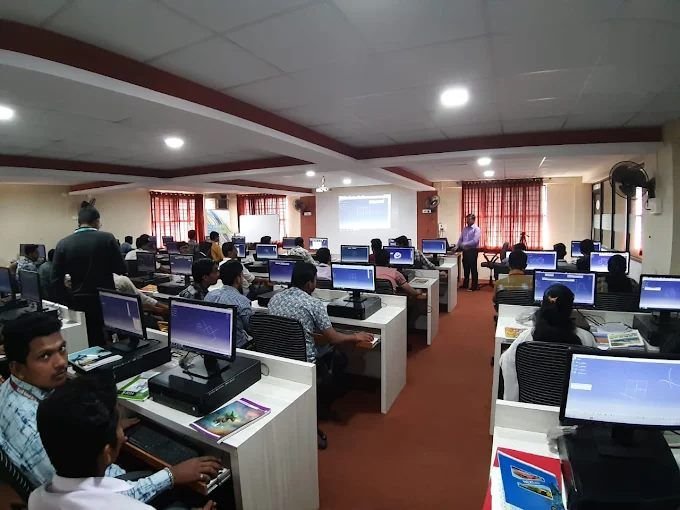
Classroom training is conducted at M CAD Solutions, Center of Excellence Robotics Lab, SKNCOE Campus, Vadgaon Budruk, Off Sinhgad Road, Pune 411041. Online and recorded courses are also accessible via the M CAD SOLUTIONS Android app.
What career paths can I pursue after completing CATIA V5 training?
After mastering CATIA V5, learners typically advance into specialized automotive domains such as BIW Fixture Design, Automotive Interior and Exterior Plastic Trim Design, Sheet Metal Design, or CAD Design Engineer roles.
How can I get the detailed syllabus and upcoming batch dates?
You can request the latest syllabus and batch schedule via the mcadsolution.com Contact page or message M CAD Solutions directly on WhatsApp at +91 90967 08490.
Talk to our team
Ready to discuss CATIA V5?
Request the current syllabus, batch schedule and demonstration availability.